AI-Powered IT Support: How AIOps Reduces Downtime and Helpdesk Costs in 2026
Summary
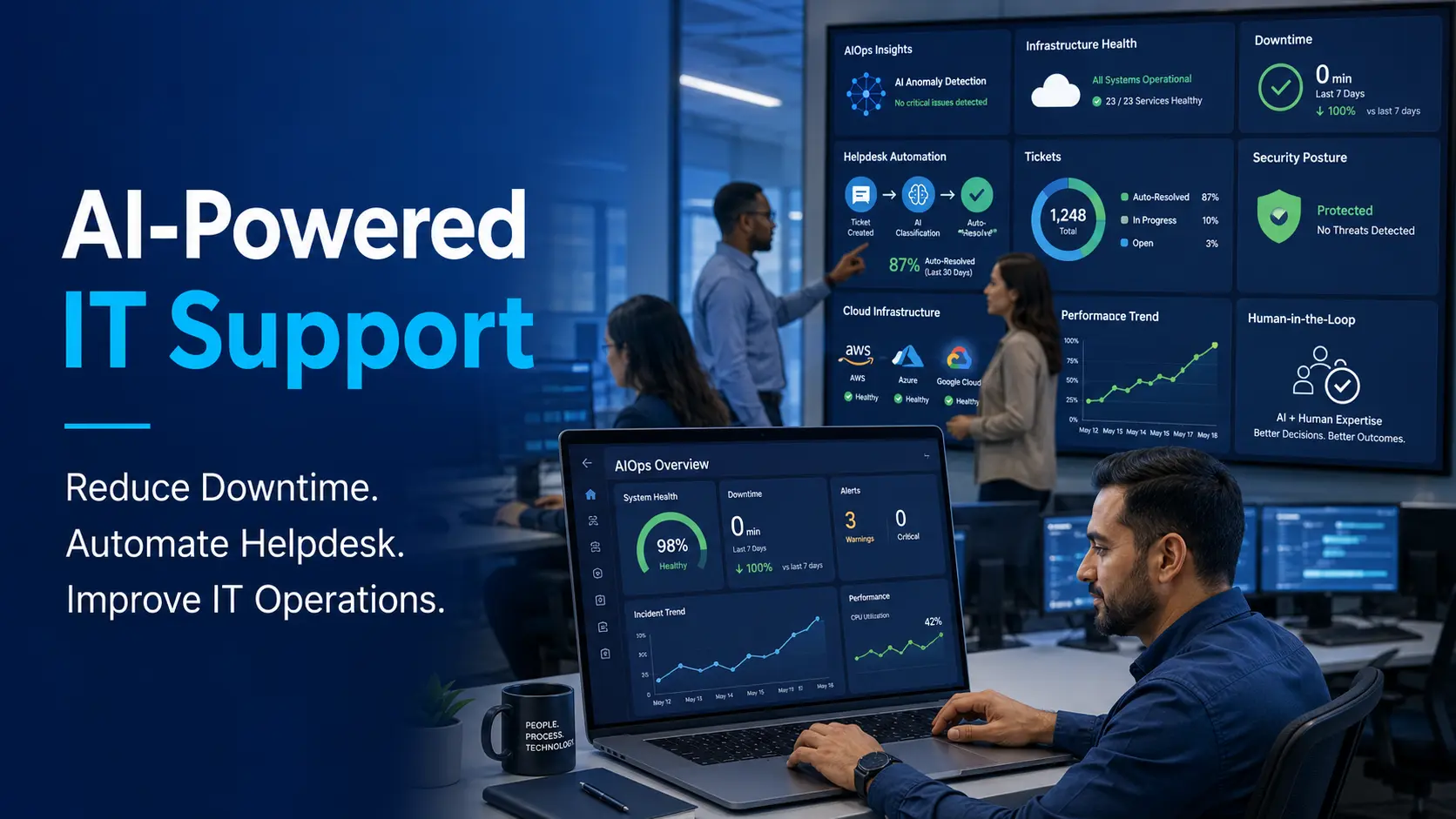
AI-powered IT support is changing how businesses manage technology in 2026. Instead of waiting for employees to report issues, modern IT teams can use AIOps, automation, monitoring, and AI helpdesk tools to detect problems earlier, prioritize tickets faster, and reduce downtime.
AIOps, also known as Artificial Intelligence for IT Operations, uses machine learning, analytics, event correlation, automation, and real-time monitoring to improve IT operations. For U.S. small businesses and growing companies, this means faster support, fewer repeated issues, better visibility, stronger cybersecurity awareness, and more predictable IT costs.
Tekizz IT Services Inc. helps businesses modernize IT operations with cloud, DevOps, cybersecurity, custom software, automation, and AI-powered workflow solutions.
Introduction: Traditional IT Support Is Too Slow for 2026
Most businesses still treat IT support like a fire department. Something breaks, an employee submits a ticket, the IT team reviews the issue, and the business waits for a fix.
That model worked when companies had simple systems. But in 2026, business technology is more complex. Teams depend on cloud platforms, remote work tools, cybersecurity systems, business applications, mobile devices, SaaS tools, websites, databases, and customer-facing digital platforms.
When one system slows down, the impact can spread quickly. Employees lose productivity. Customers may face delays. Managers lose visibility. Security alerts may be missed. Small problems can become expensive outages.
This is why AI-powered IT support and AIOps are becoming important for modern businesses.
Instead of only reacting after something fails, AI-powered IT support helps companies detect issues earlier, automate common fixes, route tickets intelligently, monitor systems in real time, and reduce the pressure on internal IT teams.
For small and mid-sized businesses, the value is simple: fewer interruptions, faster response, better security awareness, and lower support burden.
What Is AI-Powered IT Support?
AI-powered IT support means using artificial intelligence to improve how IT problems are detected, analyzed, prioritized, and resolved.
It can support helpdesk teams, managed IT service providers, cloud operations teams, cybersecurity teams, and internal IT departments.
AI-powered IT support may include:
- Automated helpdesk ticket classification
- AI chatbot support for common employee questions
- Smart ticket routing based on priority
- Predictive alerts before system failure
- Automated password reset workflows
- Cloud application monitoring
- Endpoint and device monitoring
- Root-cause analysis
- Automated incident response
- Security alert correlation
- IT performance dashboards
The goal is not to replace every IT professional. The goal is to help IT teams respond faster, reduce repetitive work, and focus on higher-value tasks.
If your business needs modern IT support connected with cloud infrastructure, automation, and monitoring, Tekizz can help through cloud and DevOps services.
What Is AIOps?
AIOps stands for Artificial Intelligence for IT Operations. It is the use of AI, machine learning, analytics, automation, and observability tools to improve IT operations.
In simple words, AIOps helps IT teams understand what is happening across systems and act faster when something goes wrong.
AIOps can collect data from many sources, including:
- Servers
- Cloud platforms
- Applications
- Databases
- Networks
- Security tools
- Employee devices
- Helpdesk systems
- Logs and alerts
- Performance monitoring tools
After collecting this data, AIOps can identify patterns, detect unusual behavior, group related alerts, suggest causes, and sometimes trigger automated responses.
This makes IT support more proactive instead of reactive.
Why AIOps Matters for Businesses in 2026
Business downtime is not only a technical issue. It affects productivity, customer service, revenue, reputation, and employee experience.
In 2026, businesses are using more digital systems than ever before. Even small companies may depend on cloud email, CRM platforms, payment systems, websites, online booking tools, cybersecurity software, accounting systems, and remote work applications.
When these systems are disconnected, IT teams can become overloaded with alerts and tickets. AIOps helps reduce that noise and focus attention on the most important problems.
AIOps matters because it helps businesses:
- Detect problems earlier
- Reduce downtime
- Improve helpdesk speed
- Prioritize critical incidents
- Reduce repeated manual tasks
- Improve cloud monitoring
- Support remote teams
- Strengthen cybersecurity response
- Improve IT cost control
- Make IT operations more scalable
For growing companies, AIOps can become a foundation for more reliable technology operations.
Traditional IT Support vs AI-Powered IT Support
Traditional IT support depends heavily on manual ticket handling. AI-powered IT support uses data, automation, and machine learning to improve response speed and accuracy.
| Area | Traditional IT Support | AI-Powered IT Support |
|---|---|---|
| Issue Detection | After user reports | Before major impact |
| Ticket Routing | Manual review | Smart routing |
| Monitoring | Basic alerts | Real-time insights |
| Root Cause | Manual investigation | AI-assisted analysis |
| Common Fixes | Human action | Automated workflow |
| Scalability | More staff needed | Automation helps scale |
The difference is clear. Traditional support waits. AI-powered support watches, learns, alerts, and assists.
How AIOps Reduces Downtime
Downtime happens when systems stop working, slow down, or become unavailable. AIOps reduces downtime by helping teams identify problems earlier and respond faster.
1. Real-Time Monitoring
AIOps platforms monitor applications, infrastructure, cloud services, logs, and performance signals continuously. This helps IT teams identify abnormal behavior before employees or customers notice a major issue.
2. Anomaly Detection
AI can detect unusual patterns such as sudden traffic spikes, memory usage increases, failed login attempts, slow database queries, or unusual server behavior.
These early warnings help teams take action before an outage occurs.
3. Alert Correlation
One technical issue can create dozens or hundreds of alerts. AIOps can group related alerts together so IT teams do not waste time reviewing duplicate notifications.
This helps reduce alert fatigue and speeds up incident response.
4. Root-Cause Analysis
When something breaks, IT teams need to know why. AIOps can analyze logs, events, dependencies, and system behavior to suggest the likely root cause.
This helps reduce troubleshooting time.
5. Automated Remediation
For common problems, AIOps can trigger automated actions. This may include restarting a service, clearing temporary storage, scaling cloud resources, opening a ticket, or notifying the right team.
Automation should be used carefully, especially for high-risk systems. Human approval should remain part of critical workflows.
How AI Improves Helpdesk Support
Helpdesk teams often spend too much time on repeated questions and basic support issues. AI-powered helpdesk systems can reduce this burden.
Automated Ticket Classification
AI can read incoming tickets and classify them by topic, urgency, system, department, and business impact.
For example, a password issue can be routed differently from a database outage or security alert.
Priority Scoring
Not every ticket has the same importance. AI can help score tickets based on business impact, affected users, system criticality, and urgency.
This helps IT teams handle the most important issues first.
Knowledge Base Suggestions
AI can suggest relevant help articles, troubleshooting steps, or previous solutions to support agents.
This reduces time spent searching for answers.
Employee Self-Service
AI chatbots can help employees with simple requests such as password reset guidance, software access questions, VPN troubleshooting, printer setup, and common application issues.
This improves employee experience and reduces repetitive ticket volume.
Faster Escalation
If AI detects that a ticket is complex or high-risk, it can escalate the issue to the right expert faster.
This reduces delays caused by manual triage.
Best Use Cases for AI-Powered IT Support
1. Password and Login Issues
Password reset requests are common. AI-powered workflows can guide users through safe reset steps or route the request correctly.
2. Cloud Application Monitoring
Many businesses depend on cloud apps. AIOps can monitor performance, availability, and unusual access patterns across cloud services.
3. Website and Application Uptime
For businesses with customer-facing websites or apps, uptime is critical. AIOps can help detect slow pages, server errors, database issues, and traffic spikes.
If your business needs secure web platforms and reliable applications, Tekizz provides web application development services.
4. Cybersecurity Alert Triage
Security tools can generate many alerts. AI can help group alerts, identify suspicious patterns, and prioritize risks.
For stronger protection, Tekizz offers cybersecurity services to help businesses improve monitoring, access control, and incident readiness.
5. Backup and Recovery Monitoring
AI-powered monitoring can check whether backups completed successfully and alert the team if backup jobs fail.
6. Endpoint and Device Management
AIOps can help monitor laptops, desktops, mobile devices, and endpoints for performance issues, update failures, and security concerns.
7. Network Performance
Network problems can affect the entire company. AI can help identify packet loss, latency, bandwidth spikes, and device failures.
8. Remote Team Support
Remote teams need reliable access to cloud systems, VPNs, communication tools, and business applications. AI-powered IT support can help resolve common issues faster.
AI-Powered IT Support for Small Businesses
Small businesses often do not have a large IT team. One person may be responsible for laptops, cloud tools, cybersecurity, websites, backups, vendors, and employee support.
That workload can become difficult as the business grows.
AI-powered IT support can help small businesses by reducing manual work and creating more predictable support workflows.
Small businesses can benefit from:
- Automated ticket triage
- Basic employee self-service
- Cloud monitoring
- Security alert prioritization
- Backup monitoring
- Device health checks
- Recurring issue detection
- Faster support response
This does not mean small businesses need a complex enterprise platform immediately. They can start with practical automation in the areas where support issues repeat most often.
AI-Powered IT Support and Managed IT Services
Managed IT services are becoming more valuable when combined with AI and automation. Instead of only responding to tickets, a modern managed IT approach can include proactive monitoring, predictive alerts, automated workflows, and regular reporting.
This helps businesses move from break-fix support to proactive IT management.
AI-powered managed IT services can help with:
- Continuous monitoring
- Automated ticket creation
- Endpoint visibility
- Cloud cost alerts
- Security event triage
- Patch management workflows
- Backup verification
- Performance reporting
- Incident response planning
For businesses comparing outsourcing options, AI-powered support can create a stronger value case because it improves speed and scalability without requiring a large internal team.
AI-Powered IT Support vs AIOps: What Is the Difference?
AI-powered IT support and AIOps are related, but they are not exactly the same.
AI-powered IT support usually focuses on user support, helpdesk workflows, ticket routing, employee questions, and service desk automation.
AIOps focuses more broadly on IT operations, monitoring, infrastructure, event correlation, root-cause analysis, cloud operations, and automated remediation.
| Term | Main Focus | Example |
|---|---|---|
| AI IT Support | Helpdesk | Ticket routing |
| AIOps | IT operations | Incident detection |
| Both Together | Proactive support | Faster resolution |
When both are used together, businesses get better visibility from infrastructure to end-user support.
Common Mistakes to Avoid with AIOps
1. Automating Without a Strategy
Automation should solve real business problems. Do not automate random workflows without understanding the impact.
2. Ignoring Data Quality
AIOps depends on data. If logs, alerts, and monitoring data are incomplete or inaccurate, the AI system may provide poor recommendations.
3. Removing Human Review Too Early
Some actions should require approval. Restarting a low-risk service may be safe, but changing production settings or blocking users should involve human oversight.
4. Not Connecting the Right Tools
AIOps works best when it has visibility across systems. If critical applications are not connected, insights may be limited.
5. Forgetting Cybersecurity
AI-powered IT support must be secure. Access control, audit logs, encryption, and permission management are important.
6. Measuring the Wrong Metrics
Do not only measure how many tickets AI handles. Measure downtime reduction, response time, resolution time, employee satisfaction, and business impact.
Important Metrics to Track
To understand whether AI-powered IT support is working, businesses should track practical metrics.
- Average response time
- Average resolution time
- Ticket volume by category
- Repeated incidents
- System uptime
- Number of escalations
- Automation success rate
- Employee satisfaction
- Security alert response time
- Cloud resource usage
These metrics help business owners understand whether IT support is improving or just becoming more complicated.
Implementation Roadmap for AI-Powered IT Support
Step 1: Audit Current IT Support
Start by reviewing your current ticket volume, common issues, response time, resolution time, monitoring tools, and support process.
Step 2: Identify Repeated Issues
Look for common problems such as password resets, software access requests, cloud app issues, device performance, email problems, and VPN support.
Step 3: Choose the Right Automation Areas
Do not automate everything at once. Start with low-risk, high-volume support tasks.
Step 4: Connect Monitoring Tools
Connect systems such as cloud platforms, application monitoring, endpoint tools, backup systems, and ticketing software.
Step 5: Add AI Ticket Triage
Use AI to classify, prioritize, and route tickets to the right team or workflow.
Step 6: Build Human Approval Gates
For high-risk actions, keep a human approval step. This reduces mistakes and builds trust.
Step 7: Monitor Results
Track support speed, downtime, resolution quality, employee feedback, and automation accuracy.
Step 8: Improve Over Time
AI-powered IT support should improve continuously. Review results and update workflows regularly.
If your business needs custom automation, dashboards, or AI workflow development, Tekizz can help through custom software development services and data and AI services.
High-Intent Keywords Covered in This Blog
This blog is optimized around high-search and high-intent keywords related to IT support, AIOps, helpdesk automation, and managed IT services.
- AI-powered IT support
- AIOps
- AI IT support services
- automated helpdesk
- IT support automation
- AI helpdesk automation
- managed IT services AI
- predictive IT maintenance
- reduce IT downtime
- small business IT support
- remote IT support
- IT operations automation
- automated incident response
- cloud monitoring
- cybersecurity monitoring
How Tekizz IT Services Inc. Can Help
Tekizz IT Services Inc. helps U.S. businesses modernize IT operations with secure, scalable, and practical technology solutions.
We help companies move from reactive IT support to smarter, more proactive technology management.
Our services can support:
- AI-powered IT support planning
- AIOps strategy and implementation
- Cloud monitoring and DevOps automation
- Cybersecurity monitoring workflows
- Helpdesk automation
- Custom IT dashboards
- Application performance monitoring
- Backup and disaster recovery planning
- Remote support workflows
- Custom software integration
- Data and AI workflow development
You can explore our cloud and DevOps services, cybersecurity services, data and AI services, and custom software development services to build a reliable IT support foundation.
Frequently Asked Questions About AI-Powered IT Support
What is AI-powered IT support?
AI-powered IT support uses artificial intelligence to improve helpdesk workflows, ticket routing, issue detection, monitoring, and incident response. It helps IT teams respond faster and reduce repetitive manual work.
What does AIOps mean?
AIOps means Artificial Intelligence for IT Operations. It uses AI, machine learning, analytics, and automation to improve IT operations, monitoring, incident detection, and root-cause analysis.
Can AIOps reduce downtime?
Yes. AIOps can reduce downtime by detecting unusual behavior earlier, grouping related alerts, identifying possible root causes, and triggering faster response workflows.
Is AI-powered IT support useful for small businesses?
Yes. Small businesses can use AI-powered IT support for helpdesk automation, cloud monitoring, password support, backup alerts, device health checks, and security alert prioritization.
Will AI replace IT support teams?
AI will not fully replace IT support teams. It helps automate repetitive tasks and improves decision support, while humans remain important for complex issues, security decisions, planning, and business-critical changes.
What is the difference between AIOps and DevOps?
DevOps focuses on software delivery, automation, deployment, and collaboration between development and operations. AIOps focuses on using AI to improve IT operations, monitoring, incident response, and system reliability.
How do businesses start with AIOps?
Businesses should start by auditing current IT support, identifying repeated issues, connecting monitoring tools, automating low-risk workflows, and tracking improvement metrics.
Is AIOps secure?
AIOps can be secure when implemented with access control, audit logs, data protection, human approval, encryption, and clear permissions. Security should be part of the design from the beginning.
Final Thoughts
AI-powered IT support and AIOps are changing how businesses manage technology in 2026.
The old model of waiting for problems and manually handling every ticket is becoming too slow for modern companies. Businesses need faster detection, smarter prioritization, stronger monitoring, and more proactive support.
AIOps helps IT teams reduce noise, detect patterns, respond faster, and improve system reliability. AI-powered helpdesk workflows help employees get support faster while reducing repeated manual work.
For small businesses and growing companies, this is not only a technology upgrade. It is a better way to protect productivity, reduce downtime, and control IT costs.
Ready to Modernize Your IT Support?
Tekizz IT Services Inc. helps businesses build smarter, more secure, and more reliable IT operations with cloud, DevOps, cybersecurity, AI, and custom software solutions.
Contact Tekizz IT Services Inc. today to discuss AI-powered IT support, AIOps, managed IT workflows, cloud monitoring, or IT automation for your business.