Managed IT Services vs In-House IT: Which Saves More Money in 2026?
Summary
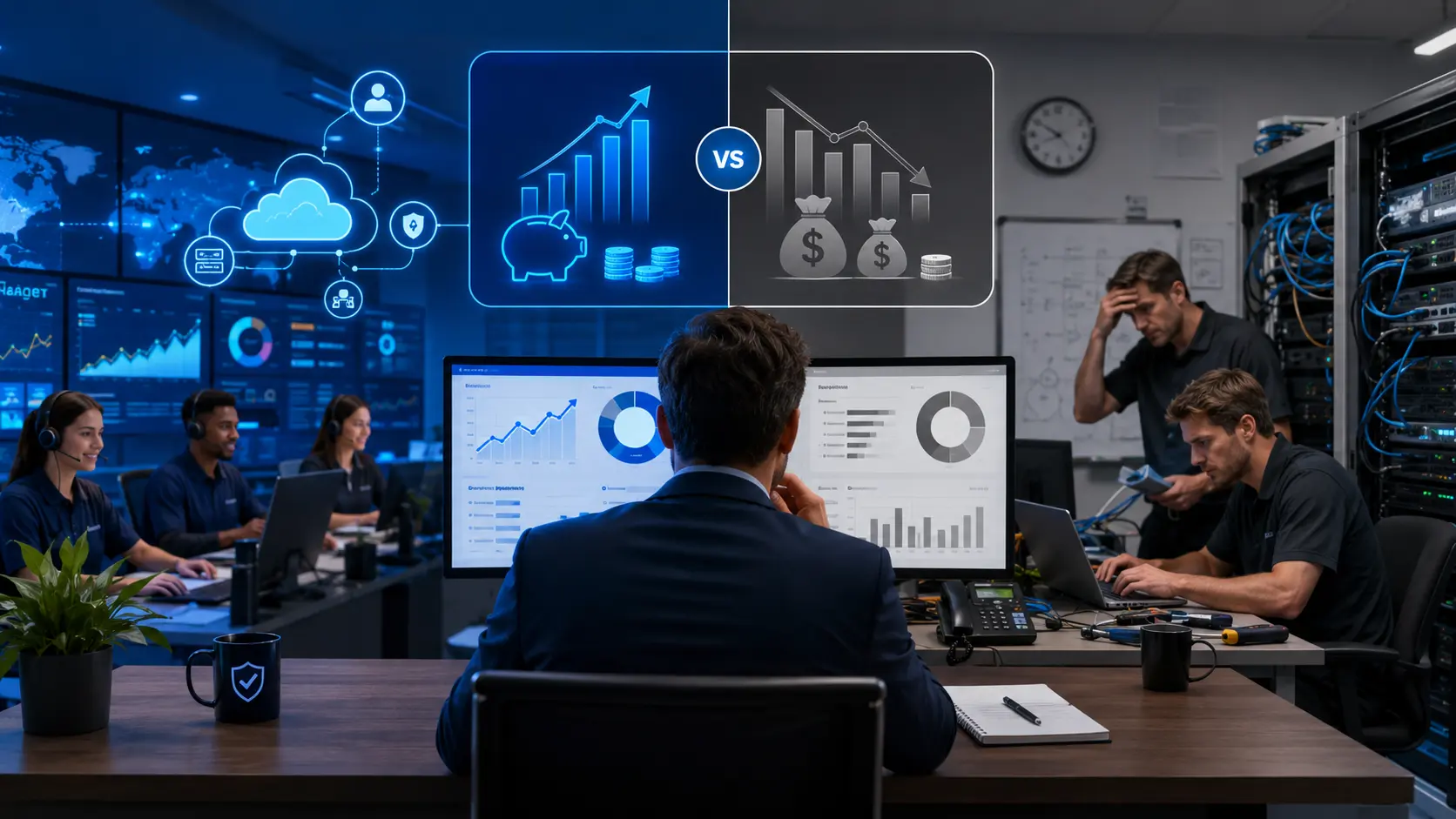
Managed IT services vs in-house IT cost is one of the most important technology decisions for small and mid-sized businesses in 2026. In-house IT gives direct control, but it also comes with salaries, benefits, hiring costs, training, tools, security responsibilities, and management overhead. Managed IT services provide outsourced IT support, proactive monitoring, cybersecurity, cloud support, helpdesk assistance, and infrastructure management for a more predictable monthly cost.
For many U.S. small businesses, managed IT services can be more cost-effective than building a full internal IT department. However, the best choice depends on company size, compliance needs, technical complexity, security risk, and growth plans. Tekizz IT Services Inc. helps businesses choose the right IT support model, modernize infrastructure, improve cybersecurity, and reduce avoidable technology costs.
Introduction
Every growing business eventually faces the same question: should we hire an internal IT team, or should we outsource IT support to a managed IT services provider?
This question matters more in 2026 because businesses now depend on cloud platforms, cybersecurity tools, remote work systems, business applications, data backups, compliance workflows, AI tools, and customer-facing digital platforms. IT is no longer just about fixing laptops or resetting passwords. It is now directly connected to business continuity, customer trust, productivity, and revenue.
For small businesses, the wrong IT model can become expensive very quickly. Hiring in-house may feel safer, but payroll, benefits, recruitment, software licenses, security tools, cloud management, and after-hours support can increase total cost. On the other hand, managed IT services can reduce overhead and provide broader expertise, but businesses must choose the right provider and service level.
In this guide, we compare managed IT services vs in-house IT, explain cost factors, list hidden expenses, show when each model makes sense, and help U.S. businesses understand which option may save more money in 2026.
What Are Managed IT Services?
Managed IT services are outsourced technology support services where a business partners with an external IT provider to manage, monitor, secure, and support its technology environment.
A managed IT services provider, also known as an MSP, can help with daily IT operations, cloud systems, cybersecurity, network monitoring, backup, disaster recovery, helpdesk support, software updates, device management, and long-term IT planning.
Common managed IT services include:
- Remote IT support
- Helpdesk support
- Network monitoring
- Cloud infrastructure management
- Cybersecurity monitoring
- Endpoint management
- Data backup and recovery
- Software updates and patching
- IT strategy and consulting
- Compliance support
Instead of hiring several full-time IT employees, a company can access a team of IT specialists through a service agreement. This can be useful for small businesses that need professional IT support but do not want the full cost of building a complete internal IT department.
If your business needs modern IT support, infrastructure planning, and cloud reliability, Tekizz can help through cloud and DevOps services.
What Is In-House IT?
In-house IT means hiring internal employees to manage the company’s technology systems. These employees work directly for the business and handle daily IT tasks, infrastructure, user support, security, software, hardware, and internal technology planning.
An in-house IT team may include:
- IT support technicians
- System administrators
- Network engineers
- Cloud engineers
- Cybersecurity specialists
- Database administrators
- IT managers
- DevOps engineers
In-house IT gives businesses direct control over technology operations. The team understands internal systems, company culture, business users, and long-term goals. However, building a strong internal IT department can be expensive, especially for small and mid-sized businesses.
Managed IT Services vs In-House IT Cost: Quick Comparison
| Factor | Managed IT Services | In-House IT |
|---|---|---|
| Cost Structure | Predictable monthly service cost | Salaries, benefits, tools, hiring, training |
| Expertise | Access to multiple specialists | Limited to hired team skills |
| Scalability | Easier to scale services up or down | Requires hiring more employees |
| Response Coverage | Can include extended or 24/7 support | Usually limited by staff availability |
| Control | Shared control with provider | Full internal control |
| Security | Can include managed cybersecurity tools | Requires internal security expertise |
| Best For | SMBs needing cost-effective expert support | Larger companies needing full internal control |
How Much Do Managed IT Services Cost in 2026?
Managed IT services pricing depends on the number of users, devices, support level, cybersecurity needs, cloud complexity, compliance requirements, and response expectations.
Many providers use one of these pricing models:
- Per-user pricing: A monthly fee for each employee or user.
- Per-device pricing: A monthly fee for each laptop, desktop, server, or endpoint.
- Flat-rate pricing: A fixed monthly cost for a defined service package.
- Tiered pricing: Basic, standard, and premium plans based on service level.
- Project-based pricing: One-time cost for migration, setup, security audit, or implementation.
For many small businesses, managed IT services can be easier to budget because the monthly cost is more predictable than hiring multiple IT employees. However, businesses should review what is included in the agreement, such as after-hours support, cybersecurity tools, backup, cloud monitoring, and on-site support.
Useful reference: 2026 Managed IT Services Cost and Pricing Guide.
How Much Does In-House IT Cost?
In-house IT cost is not limited to salary. Businesses must also consider benefits, taxes, recruitment, training, tools, software licenses, hardware, security products, management time, and coverage gaps.
Common in-house IT expenses include:
- Employee salaries
- Benefits and payroll taxes
- Recruitment and onboarding
- Training and certifications
- IT management tools
- Cybersecurity software
- Monitoring platforms
- Backup and recovery tools
- Cloud administration
- After-hours support coverage
- Vacation and sick leave coverage
- Employee turnover cost
One IT employee may be able to handle basic support, but that person may not also be an expert in cloud, cybersecurity, networking, compliance, disaster recovery, DevOps, and data protection. As the business grows, the company may need multiple specialists, which increases total cost.
Hidden Costs of In-House IT
Many businesses compare managed IT services vs in-house IT by looking only at salary. That is a mistake. The real cost of in-house IT includes several hidden expenses.
1. Hiring and Recruitment Cost
Finding experienced IT professionals takes time. Businesses may need to pay for job postings, recruitment support, interviews, onboarding, and training before the employee becomes fully productive.
2. Skill Gaps
Technology changes quickly. One internal IT person may be strong in helpdesk support but weak in cloud security, cybersecurity, automation, or compliance. Skill gaps can lead to security risk, downtime, and poor system planning.
3. Tooling Cost
In-house teams need professional tools for endpoint management, password management, backup, monitoring, ticketing, antivirus, vulnerability scanning, and reporting. These tools add monthly and annual expenses.
4. After-Hours Coverage
Technology issues do not always happen during office hours. If your internal IT team only works standard business hours, outages or security alerts after hours can become costly.
5. Employee Turnover
If a key IT employee leaves, the company may lose system knowledge and face support gaps. Hiring a replacement can take weeks or months.
6. Cybersecurity Responsibility
Cybersecurity requires continuous attention. Internal teams must manage updates, alerts, user training, access control, backups, and incident response. Without the right expertise, risk increases.
For stronger protection, businesses can combine IT support with cybersecurity services to reduce risk and improve resilience.
Benefits of Managed IT Services
Predictable Monthly Cost
Managed IT services usually provide a more predictable monthly cost. This helps business owners plan budgets and avoid surprise expenses from emergency repairs or unplanned technical problems.
Access to a Full Team
Instead of depending on one or two internal employees, businesses can access specialists across helpdesk, cloud, security, backup, infrastructure, and consulting.
Proactive Monitoring
Managed IT providers often monitor systems continuously to detect issues before they become major problems. This can reduce downtime and improve business continuity.
Better Cybersecurity Support
Many MSPs include cybersecurity services such as endpoint protection, patch management, access control, threat monitoring, and backup verification.
Scalability
As your company grows, managed IT services can scale with more users, devices, cloud systems, and applications without requiring immediate new hires.
Faster Access to Modern Tools
Managed IT providers already use professional monitoring, automation, security, and support tools. This gives small businesses access to enterprise-grade processes without building everything internally.
Benefits of In-House IT
Direct Control
In-house IT gives the company direct control over technical priorities, internal processes, and day-to-day decision-making.
Deep Business Knowledge
Internal IT employees understand company culture, workflows, users, and internal systems. This can help with faster communication and custom support.
On-Site Availability
For businesses with physical infrastructure, manufacturing systems, medical devices, or complex on-site equipment, having internal IT staff can be useful.
Dedicated Focus
An internal IT team works only for your company. This can be valuable for larger organizations with complex systems and high customization needs.
When Managed IT Services Save More Money
Managed IT services often save more money when a business needs broad technical support but does not have enough scale to justify a full internal IT department.
Managed IT can be a better fit when:
- You are a small or mid-sized business
- You need predictable monthly IT costs
- You cannot hire multiple IT specialists
- You need helpdesk, cloud, security, and backup support
- You want proactive monitoring
- You need better cybersecurity without building a full security team
- You want scalable IT support as your business grows
- You need remote IT support for distributed teams
For businesses building new platforms or modern internal systems, Tekizz also supports custom software development services to connect IT support with business automation and digital growth.
When In-House IT Makes More Sense
In-house IT may be the better choice when a company has complex internal systems, strict operational requirements, or enough scale to support a full department.
In-house IT may make sense when:
- You need full-time on-site technical staff
- Your business has highly specialized internal systems
- You have strict internal control requirements
- Your IT workload is large enough to justify full-time roles
- You need dedicated technical leadership every day
- You have the budget to hire multiple specialists
Many growing businesses use a hybrid model. They keep a small internal IT team for daily business knowledge and partner with a managed IT provider for cloud, security, monitoring, and specialized support.
Managed IT Services vs In-House IT: Cost Factors to Compare
| Cost Factor | Managed IT Services | In-House IT |
|---|---|---|
| Monthly Support | Usually predictable | Depends on salaries and workload |
| Security Tools | May be included in service package | Purchased and managed separately |
| Backup and Recovery | Can be bundled | Requires tools and internal ownership |
| Cloud Management | Often available as a service | Requires cloud expertise |
| Hiring Cost | No direct employee hiring | Recruitment and onboarding required |
| Training Cost | Provider manages team training | Business pays for skill development |
| After-Hours Coverage | May be available depending on plan | Requires staffing or overtime |
| Scaling | Increase service level | Hire more employees |
Simple ROI Example
Imagine a growing small business with 30 employees. The company needs helpdesk support, device management, cloud email support, backup monitoring, cybersecurity basics, software updates, and occasional cloud consulting.
With in-house IT, the company may need at least one full-time IT employee and still may need outside consultants for cybersecurity, cloud, and advanced projects.
With managed IT services, the company may receive support, monitoring, security, backup checks, and technical guidance through one monthly service agreement.
The managed IT model may save money because the business avoids full-time salary overhead, reduces tool purchases, gets access to multiple skill sets, and receives more predictable support costs.
However, if the company grows to hundreds of employees with complex infrastructure, combining internal IT leadership with managed IT support may deliver the best result.
Common Mistakes Businesses Make When Choosing IT Support
Choosing Only Based on Lowest Price
The cheapest IT support option is not always the best. Poor support can lead to downtime, security problems, slow response times, and frustrated employees.
Ignoring Cybersecurity
IT support and cybersecurity now work together. A company should not choose an IT model that only fixes technical problems but ignores security risk.
Not Reviewing Service Level Agreements
Businesses should understand response times, support hours, included services, exclusions, and escalation process before signing an agreement.
Forgetting Cloud and Remote Work Needs
Modern IT support must include cloud platforms, remote access, identity management, collaboration tools, and secure device management.
Not Planning for Growth
A support model that works for 10 employees may not work for 50 or 100 employees. Choose an IT model that can scale with the business.
Viral Keywords and Search Terms Covered in This Blog
This blog is optimized around high-commercial-intent keywords that business owners and decision-makers often search when comparing IT support options.
- managed IT services vs in-house IT cost
- managed IT services cost
- in-house IT cost
- IT outsourcing for small business
- managed IT services pricing 2026
- small business IT support cost
- outsourced IT support vs internal IT
- MSP pricing for small business
- IT support cost comparison
- managed IT services USA
- remote IT support services
- cybersecurity support for small business
How Tekizz IT Services Inc. Can Help
Tekizz IT Services Inc. helps U.S. businesses build reliable, secure, and scalable technology operations. Whether your company needs managed IT support, cloud infrastructure, cybersecurity, custom software, or application modernization, Tekizz can help you choose a solution that fits your budget and growth goals.
Our IT support and technology services can include:
- Cloud infrastructure planning
- DevOps automation
- Cybersecurity support
- Backup and disaster recovery planning
- Remote IT support workflows
- Business application development
- Custom dashboards and reporting
- API integrations
- Cloud migration support
- Long-term technology consulting
You can explore our complete IT services portfolio or speak with our team through the Tekizz contact page.
Frequently Asked Questions
Are managed IT services cheaper than in-house IT?
Managed IT services are often cheaper for small and mid-sized businesses because they reduce hiring, training, tooling, and salary overhead. However, the exact savings depend on company size, support needs, security requirements, and service level.
What is included in managed IT services?
Managed IT services may include helpdesk support, remote monitoring, cybersecurity, endpoint management, cloud support, backup checks, software updates, and IT consulting. The exact services depend on the provider and plan.
When should a business hire in-house IT?
A business should consider in-house IT when it has complex internal systems, high daily support volume, strong on-site needs, or enough budget to hire multiple specialists.
Can a company use both managed IT and in-house IT?
Yes. Many businesses use a hybrid model. Internal IT handles company-specific needs, while a managed IT provider supports cloud, cybersecurity, monitoring, backup, and specialized projects.
What is the biggest hidden cost of in-house IT?
The biggest hidden costs are usually hiring, benefits, training, tool subscriptions, after-hours coverage, employee turnover, and cybersecurity responsibility.
How do I choose between managed IT services and in-house IT?
Compare total cost, security needs, response time, technical complexity, growth plans, and internal control requirements. The best model should support business goals without creating unnecessary cost or risk.
Final Thoughts
The choice between managed IT services and in-house IT is not only a cost decision. It is a business strategy decision.
In-house IT gives direct control and internal knowledge, but it can become expensive when you include salaries, benefits, tools, training, and security responsibilities. Managed IT services can provide broader expertise, predictable cost, proactive support, and stronger scalability for many small businesses.
For many U.S. small and mid-sized businesses in 2026, managed IT services may offer better value, especially when combined with cloud, cybersecurity, automation, and long-term technology planning.
Need Help Choosing the Right IT Support Model?
Tekizz IT Services Inc. helps businesses compare IT support options, reduce technology risk, modernize infrastructure, and build scalable systems for long-term growth.
Contact Tekizz IT Services Inc. today to discuss managed IT services, cloud support, cybersecurity, DevOps, or custom software development for your business.